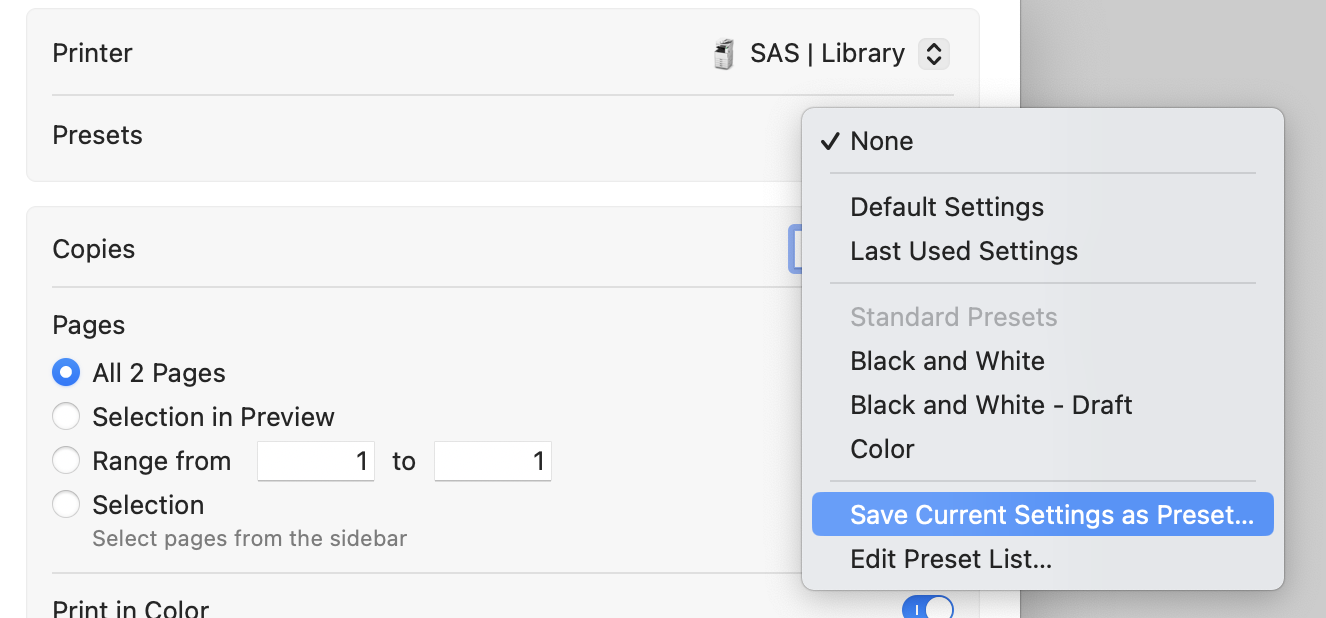
Setting up Print Presets for Colour and BW, Single and Double sided 🖨️
Creating presets will speed up your printing process! Here’s how to set them up. First open the print menu by navigating to File > Print from any document.
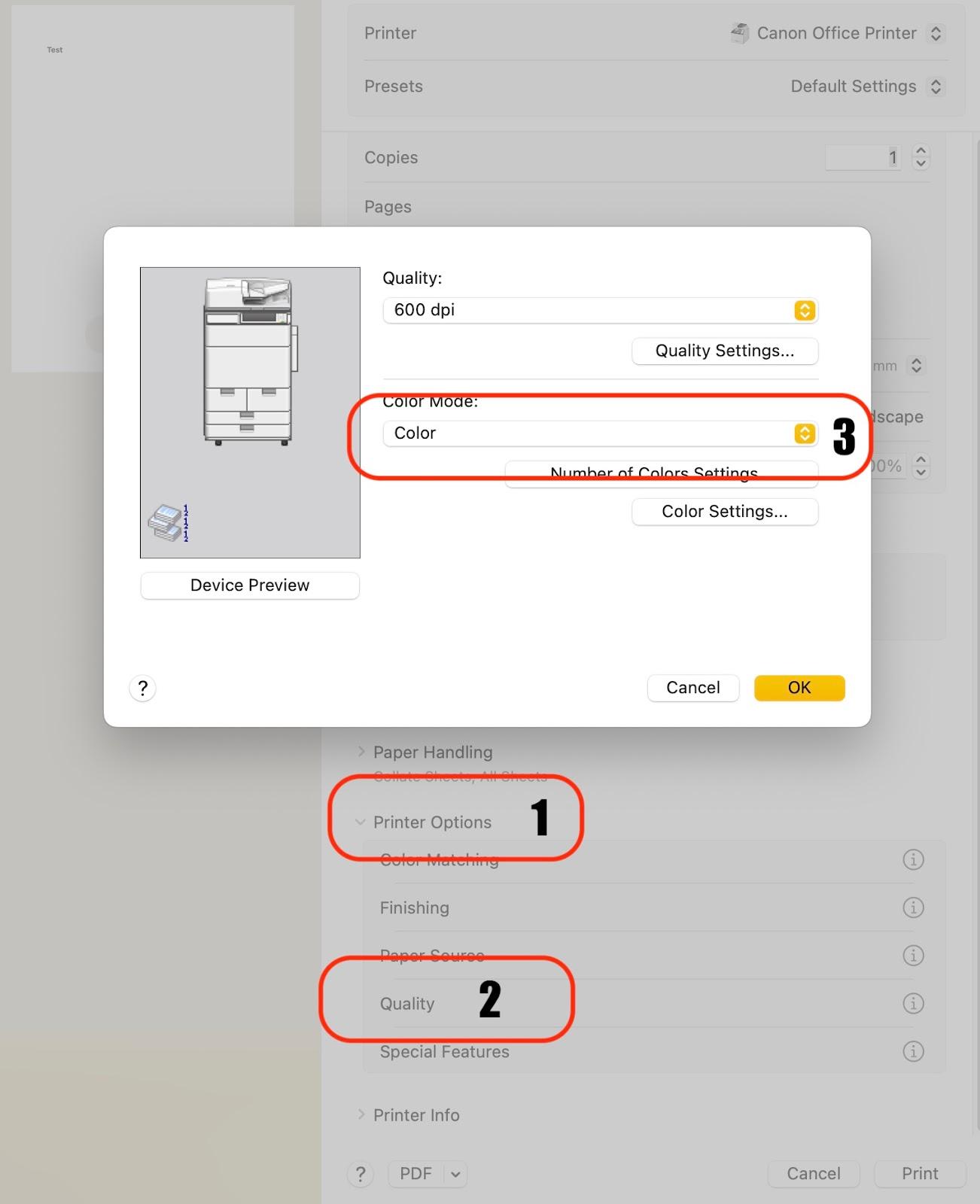
Choose Colour 🌈 or BW 🎞️
Printer Options > Quality > Colour Mode
Choose Single☝️or 2-Sided ✌️ Printing
Printer Options > Finishing > Print Style

Save as Preset ✅
Presets > Save Current Setting as Preset
Name accordingly: BW Double-Sided, BW Single Sided, Colour Double Sided, etc…
Repeat as needed!