How to Add the 'Developer' Tab to Microsoft Word
This quick article will guide you through the process of adding the 'Developer' tab to Microsoft Word. The developer tab is a powerful tool that lets users write and run macros, use additional commands, and much more.
To add the 'Developer' tab to Microsoft Word
- Open Microsoft Word.
- In the menu bar at the top of the screen, click Word > Preferences
-
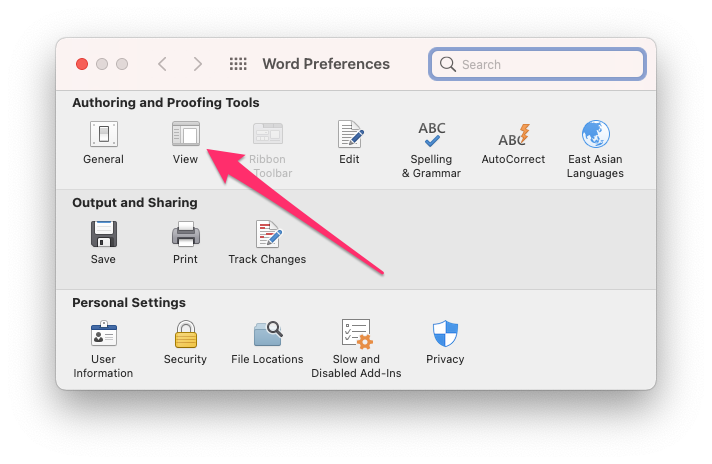
In the new dialog box that appears, click 'View'.
-
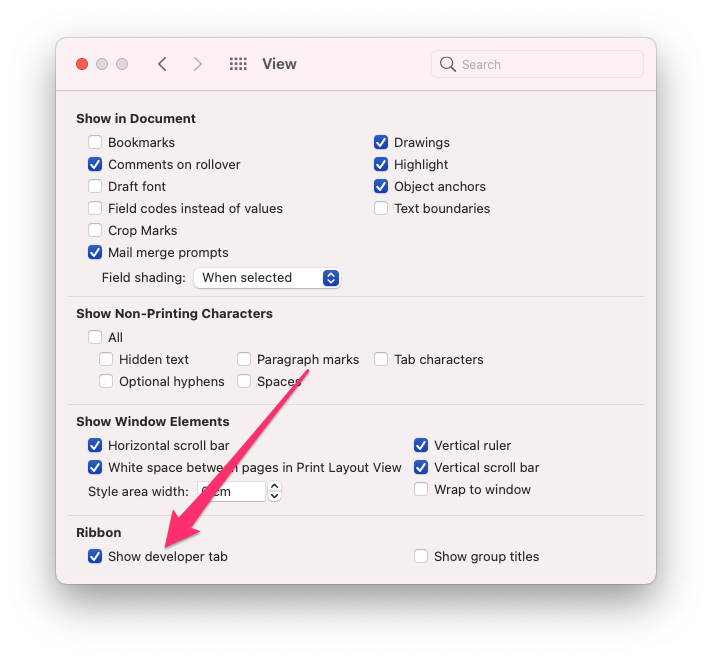
Click on the 'Show developer tab' option located under the 'Ribbon' heading.
-
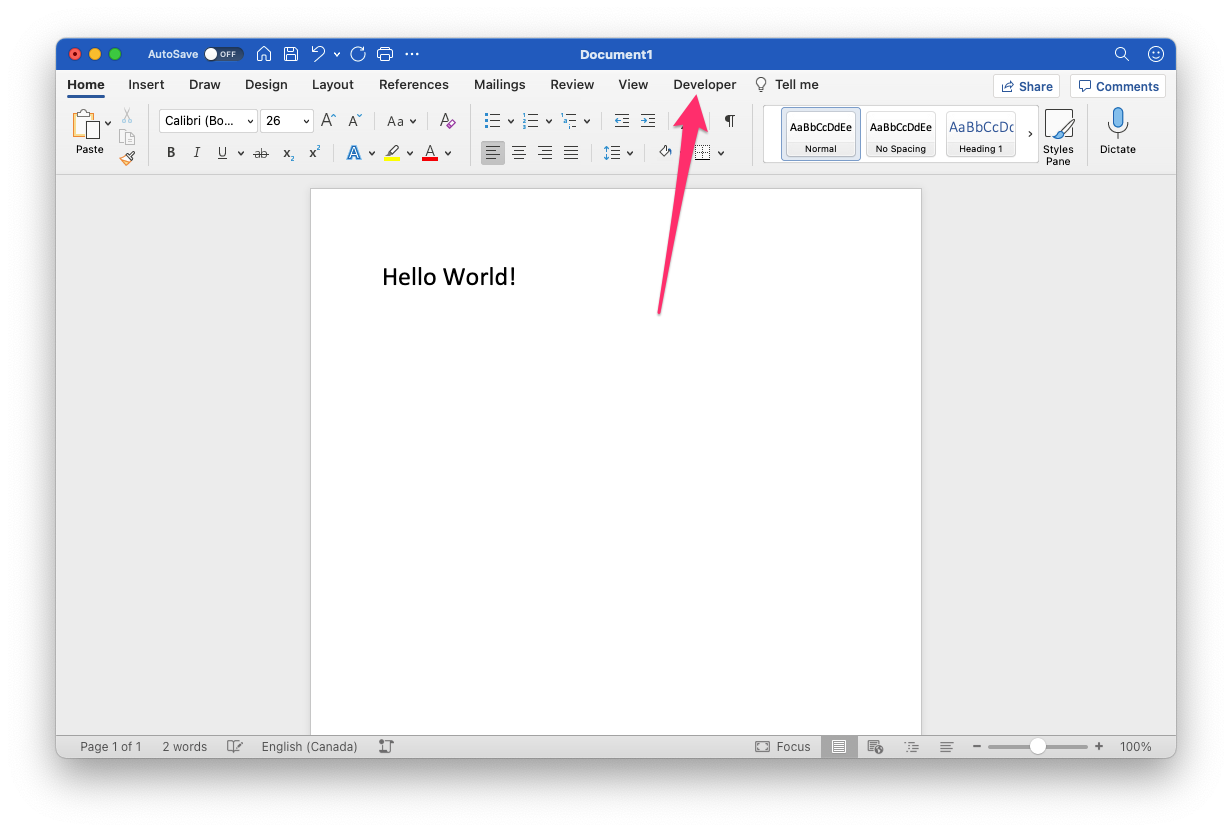
You should now see a 'Developer' option in the ribbon above your document.
More Resources
- Create or run a macro - Microsoft